Let clients pick their favourite photos.
Share a gallery, let them choose, and get a clean list of their picks back. No more Drive links and photo numbers over email.
 ♥
♥
 ♥
♥
 ♥
♥
From upload to delivered picks in four steps
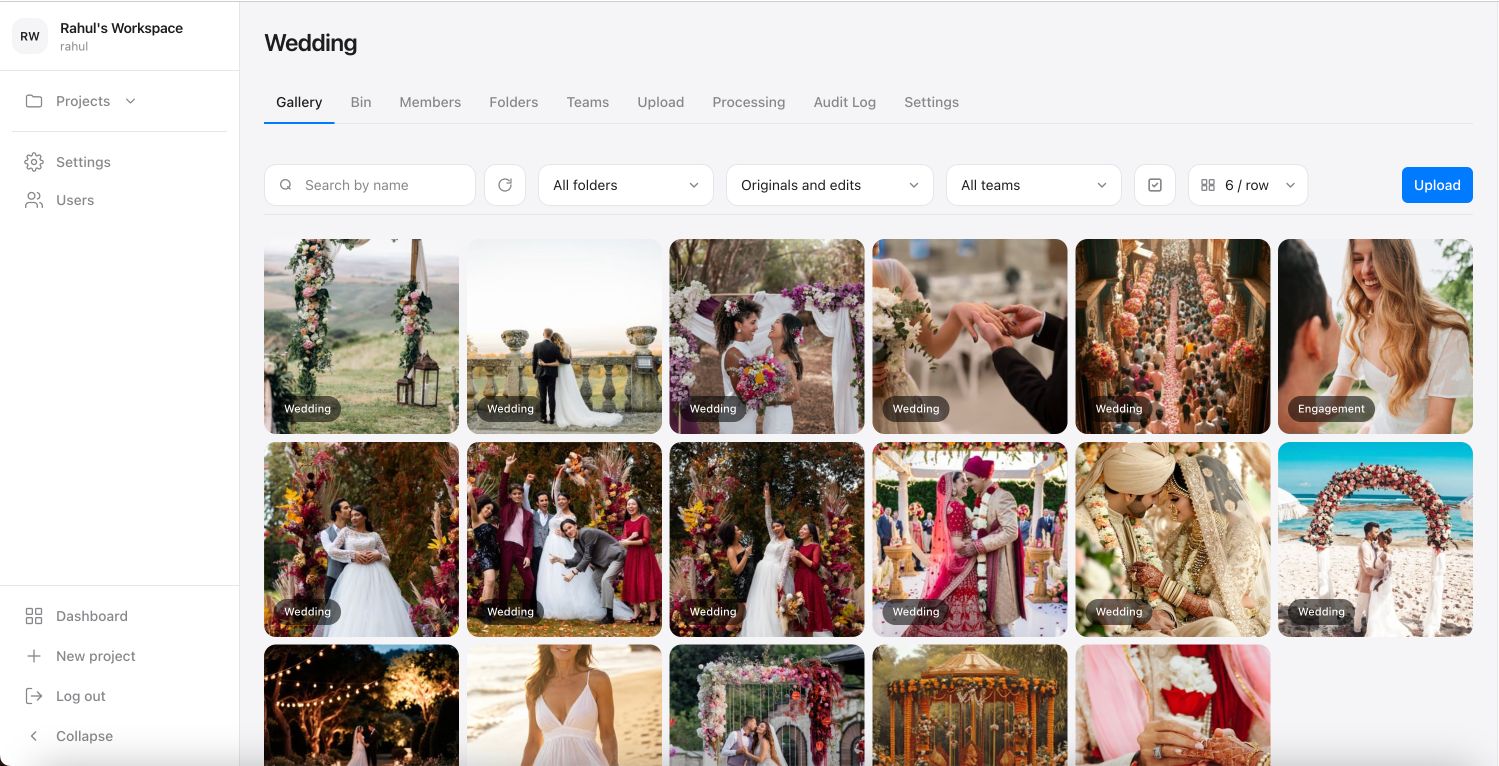
Upload your shoot
Create a project and sort photos into folders, whether that's ceremony and portraits, or product and lifestyle shots. Select Flow builds fast previews from your originals, so clients scroll sharp images instead of downloading raw files.
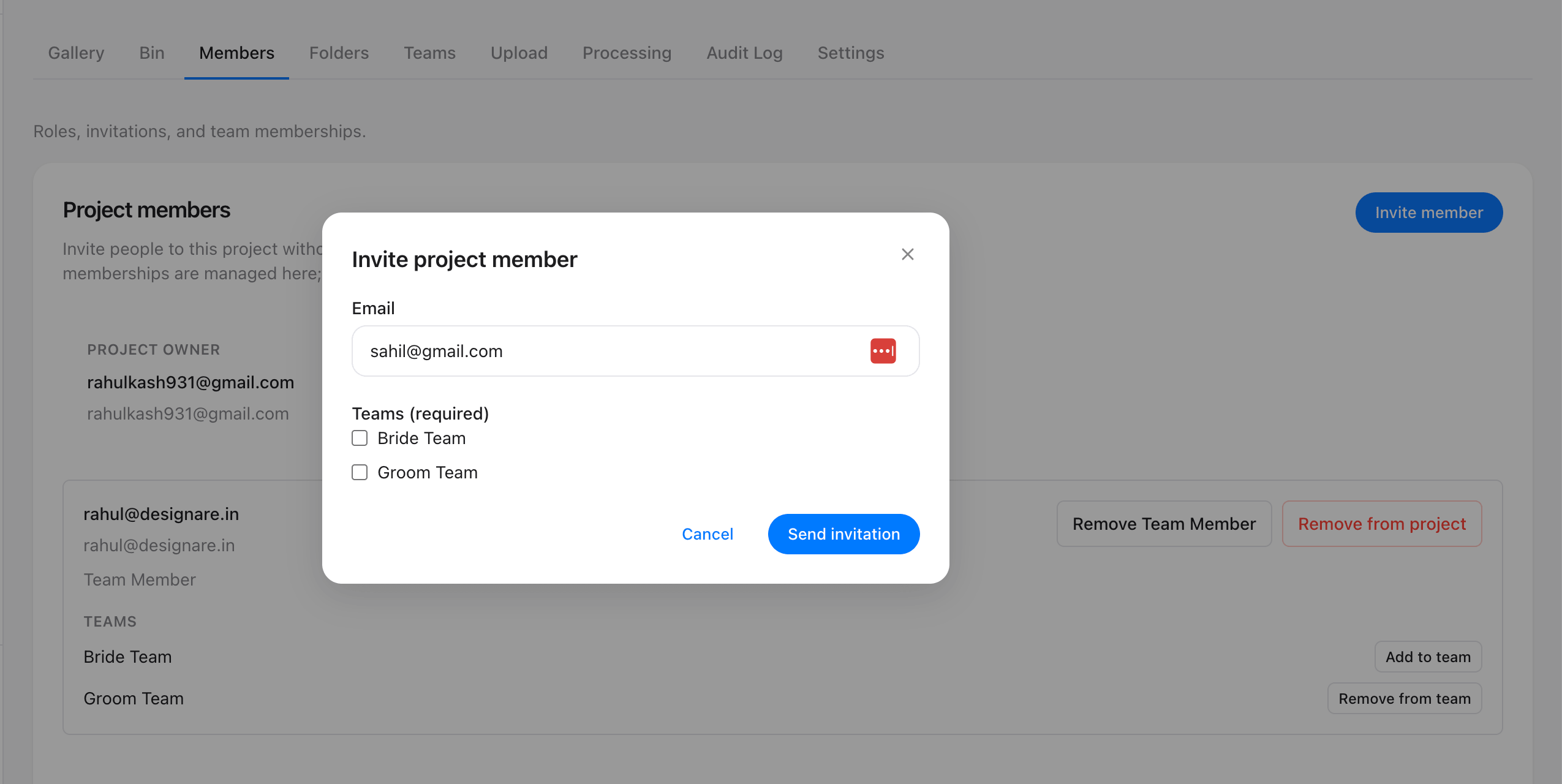
Invite your teams
Add client teams: the couple and their families, a company's marketing team, or whoever needs a say. Each team gets its own private space and can't see what the others picked.
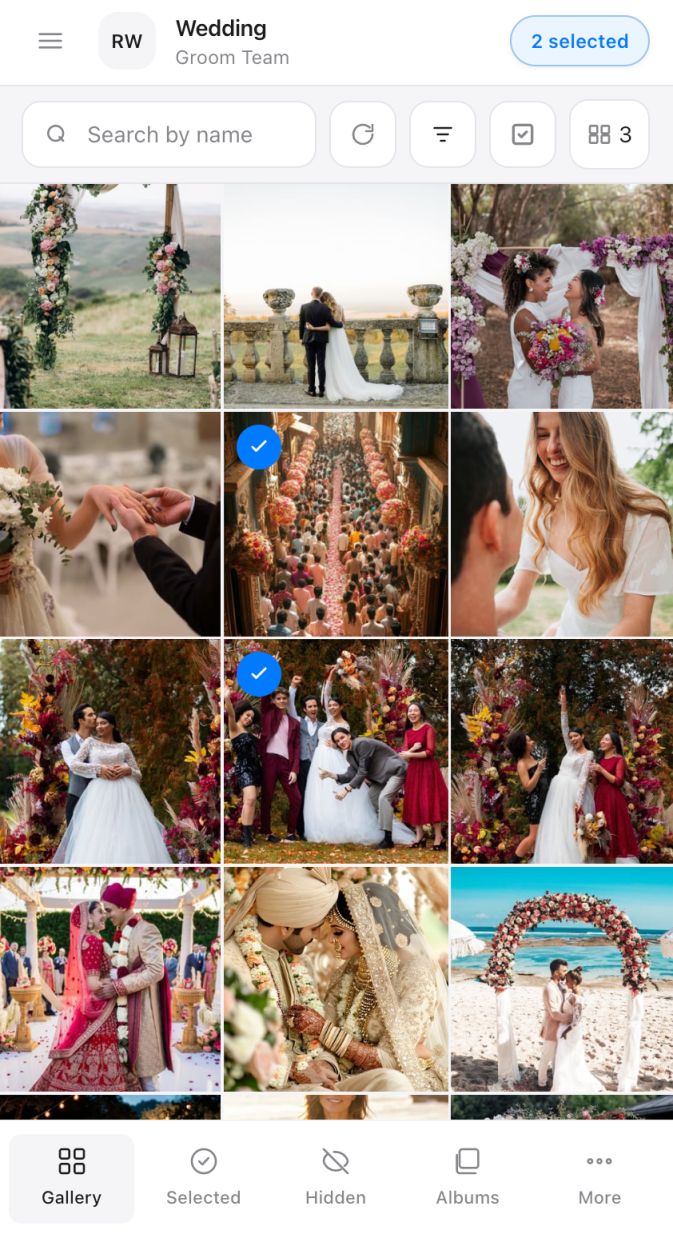
Teams pick favourites
Clients open the gallery on their phone and tap the photos they love. They can sort favourites into albums and ask for edits, then submit when they're ready. Nothing to install.
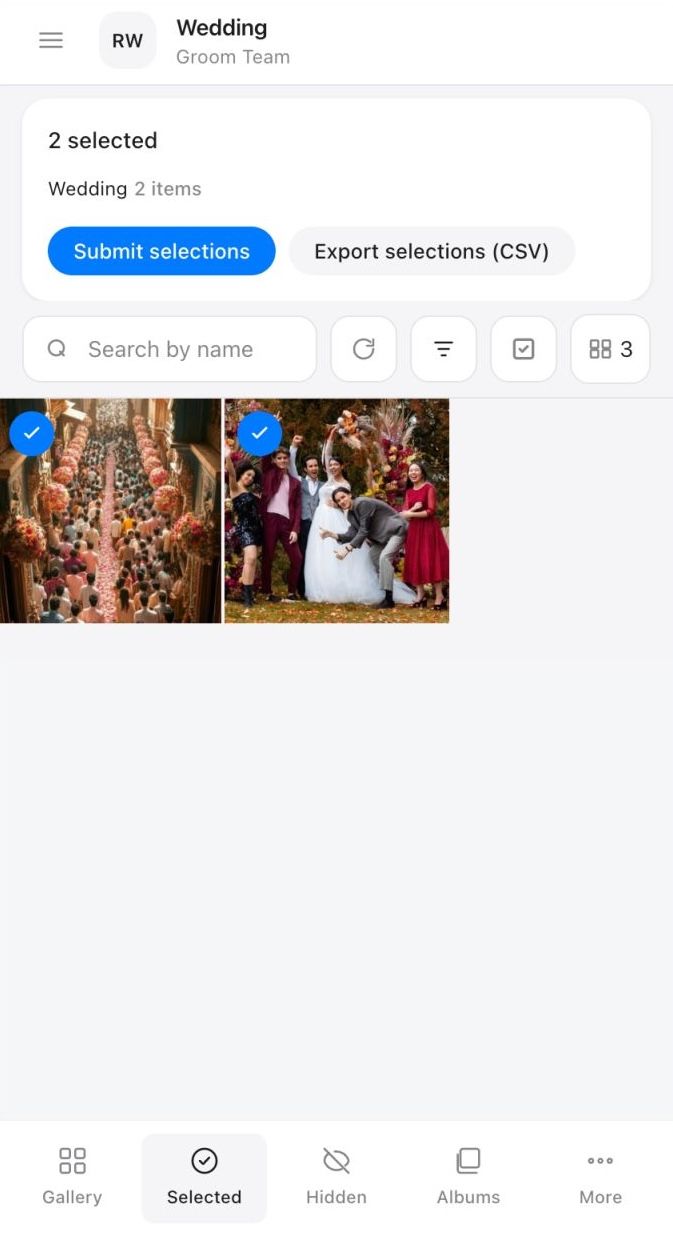
Export and deliver
Download one CSV with every team's picks, laid out by photo and folder. Open it next to Lightroom and start editing the shots they chose.
the portrait their favouritethe whole family
From a pile of Drive links to one clean list.
Right now clients download a folder, scribble photo numbers, and send them back in chat. Things get missed, duplicated, and lost. Select Flow turns all of that into a gallery they actually enjoy, and an export you can trust.
- ✓No more decoding photo numbers from email
- ✓Every team's picks kept separate and tidy
- ✓A clean CSV export, ready for Lightroom
One workspace for the whole selection workflow
- ❏
Share only what you choose
Publish the folders you want each team to see, and keep the outtakes out of view.
- ❤
A space for every team
Each family, the couple, or a client's team picks separately, so nobody's choices get tangled together.
- ✦
Stay in control
You run every project and pull the export the moment a team finishes picking.
Weddings, portraits, events and everything in between.





Photo selection for client proofing
- What is Select Flow?
- Select Flow is a private photo selection gallery for photographers. It helps clients choose favorites from fast web previews while the studio keeps the original files, folders, teams, and final export under control.
- How is Select Flow different from sending a Drive link?
- Instead of asking clients to download images and send photo numbers back in chat, Select Flow gives every client team a gallery where they can tap favorites, organize picks, request edits, and submit a clean selection list.
- Can wedding and event teams choose photos separately?
- Yes. Studios can invite separate teams for a wedding, event, or portrait project, publish only the folders each team should see, and keep each team's selections saved separately.
- Can I export selections for editing?
- Yes. When clients finish selecting, the studio can export a CSV with the selected photos and folders, then use that list alongside Lightroom or another editing workflow.
Ready to share your next gallery?
Set up a project, invite your clients, and let them pick. Start with a free trial.